JavaScript Temporal: Using the Right Types for Dates and Time Zones
An introduction to JavaScript Temporal's Instant, ZonedDateTime, PlainDate and date arithmetic, with notes from using it in Solyx, an Electron project, and what to check about support.
- Notes
- 5 minutes read
I used to reach for dayjs whenever a JavaScript project had to deal with dates. Its API is nicer than the built-in Date: formatting and date arithmetic come built in, and a plugin covers time zone conversion. While cleaning up my Electron app Solyx recently, my first instinct was to replace the Date and Intl calls scattered across it with dayjs. After taking stock, though, I found that what actually needed work was a handful of time zone and calendar calculations.
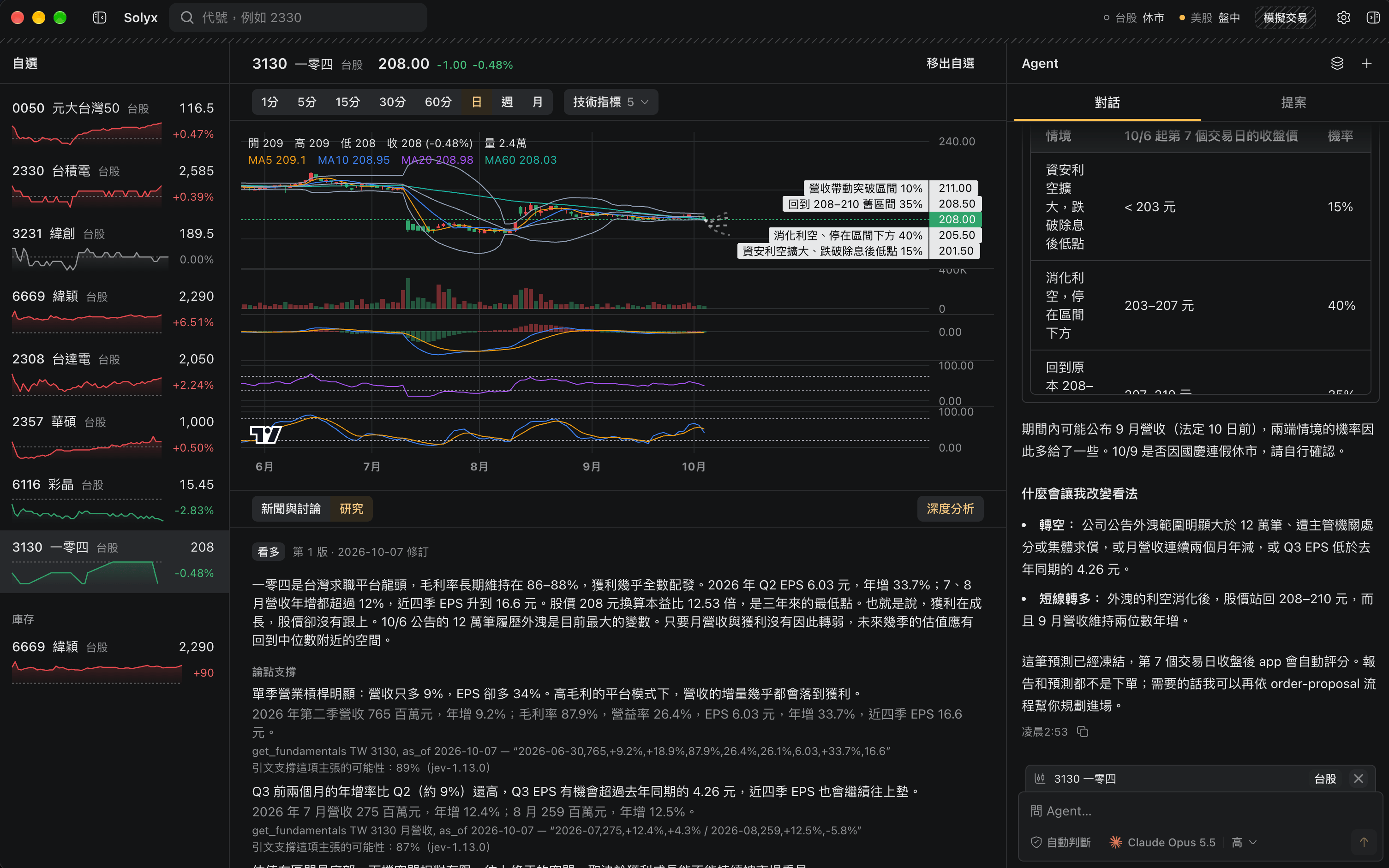
Solyx is for trading Taiwan and US stocks: an agent analyzes the market and proposes trades, and every order waits for the user to confirm it. In the end I didn't switch to dayjs. I rewrote the date calculations with Temporal and kept Intl for display. dayjs's timezone plugin still works out offsets with Intl.DateTimeFormat#formatToParts underneath, so it doesn't remove that logic; locales have to be loaded and maintained separately, and plugins must be registered globally with dayjs.extend(...). The packages also passed Date objects, Unix seconds and date strings between each other, so passing dayjs objects instead would have meant changing those interfaces or converting back and forth at every boundary.
Temporal is JavaScript's new date and time API. It represents exact instants, zoned date-times and plain calendar dates as separate things. Below are the types I actually used in Solyx.
Start with what the time means
Temporal no longer makes a single date object carry every meaning. The common types are:
| Type | What it represents | Typical uses |
|---|---|---|
Temporal.Instant | An exact point on the timeline | Unix timestamps, when an event happened |
Temporal.ZonedDateTime | A date and time plus a time zone | Showing or calculating local time in a given zone |
Temporal.PlainDate | A calendar date with no time or zone | Birthdays, trading days, billing dates |
Temporal.PlainTime | A time of day with no date or zone | Daily market open, reminder times |
Temporal.PlainDateTime | A date and time with no zone | Local time before a zone is chosen |
Temporal.Duration | A length of time or a difference between dates | Amounts to add or subtract, the gap between two times |
For example, given a Date, you can convert it to an Instant and then read the local date and time in the exchange's time zone:
const instant = Temporal.Instant.fromEpochMilliseconds(date.getTime());
const exchangeTime = instant.toZonedDateTimeISO("America/New_York");

exchangeTime.toPlainDate().toString(); // e.g. "2026-10-06"
The Instant is one exact point in time; the ZonedDateTime applies the time zone's rules to show that moment's local date and time in New York. If you only need the calendar date, take the PlainDate instead of treating "a day" as UTC midnight.
Date arithmetic with calendar semantics
PlainDate does calendar arithmetic. Adding a day, finding the first of the month or getting that week's Monday needs no millisecond math:
const day = Temporal.PlainDate.from("2026-01-31");

day.add({ days: 1 }).toString();   // "2026-02-01"
day.add({ months: 1 }).toString(); // "2026-02-28"

day.with({ day: 1 }).toString();                      // first of the month "2026-01-01"
day.subtract({ days: day.dayOfWeek - 1 }).toString(); // Monday of that week "2026-01-26"
dayOfWeek uses ISO numbering: Monday is 1 and Sunday is 7. When adding months lands on a day the target month doesn't have, the result is clamped to the end of the month by default, so January 31 plus one month is February 28.
Solyx's charts need the Monday of a given day's week, or the first day of its month, and trading sessions depend on the day of the week in the exchange's time zone. These are the places where PlainDate and ZonedDateTime are more direct than slicing strings by hand or calling getUTCDay().
Getting local midnight in a time zone
Given a YYYY-MM-DD calendar date, convert the PlainDate to a ZonedDateTime to get the start of that day in a given time zone:
const startOfDay = Temporal.PlainDate
  .from("2026-10-06")
  .toZonedDateTime("America/New_York");

const unixSeconds = startOfDay.epochMilliseconds / 1000;
This is more direct than assuming the date is UTC midnight and then using an offset to work back to local time. Time zone rules include changes such as daylight saving time; when some regions switch, local midnight can be skipped or repeated, so don't assume every calendar day is exactly 24 hours long.
In Solyx's old implementation, I derived the exchange's local midnight from the offset at UTC midnight, which relied on the assumption that exchanges don't change their clocks around midnight. With Temporal, the code builds the local start of day straight from the date and the time zone, with no offset to estimate.
Keep calculation and display separate
Temporal is good at representing and calculating dates and times; to show the result to users, you can still hand it to Intl and let the locale decide the format:
const formatter = new Intl.DateTimeFormat("zh-TW", {
  timeZone: "America/New_York",
  dateStyle: "medium",
  timeStyle: "short",
});

formatter.format(new Date());
Note that Intl.DateTimeFormat#format doesn't accept a ZonedDateTime: passing one throws a TypeError. To format a result computed with Temporal, such as exchangeTime above, call its own toLocaleString:
exchangeTime.toLocaleString("zh-TW", { dateStyle: "medium", timeStyle: "short" });When the same formatting options are used repeatedly, create one Intl.DateTimeFormat instance and reuse it rather than building a new formatter each time. Relative times and numbers have their own APIs as well, such as Intl.RelativeTimeFormat and Intl.NumberFormat.
Check the runtime first
Having TypeScript types doesn't mean the runtime supports Temporal. Node.js has enabled Temporal by default since 26.0.0 (Node.js 26 release notes), but you should still check support in the runtime you target.
TypeScript also needs the right library declarations: with TypeScript 7.0.2, lib: ["es2023"] couldn't find Temporal, and type checking only passed after adding "esnext.temporal". The lib setting only decides whether the compiler recognizes the API; it doesn't add an implementation to older runtimes.
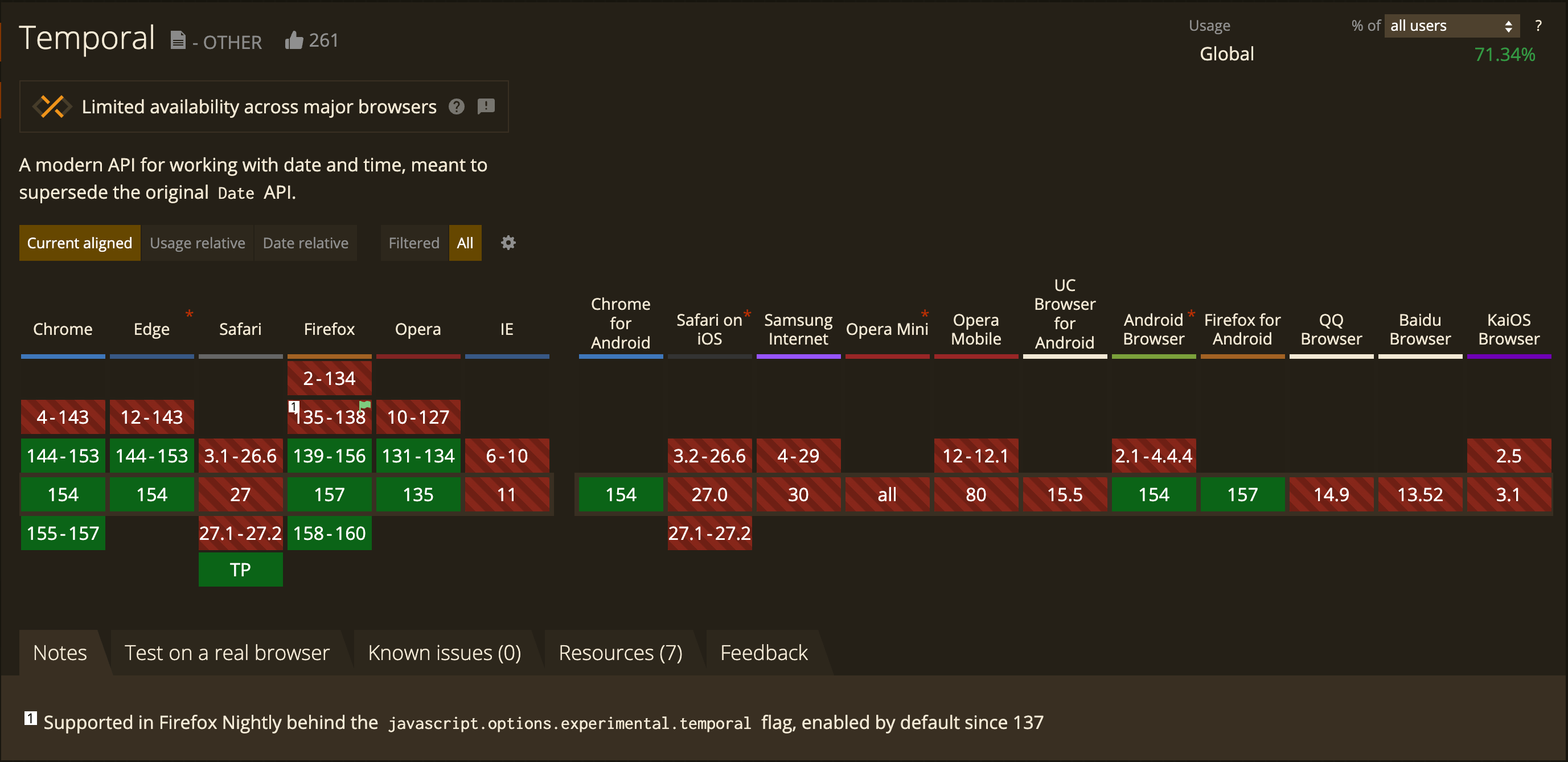
As of October 2026, MDN's compatibility table lists Temporal as supported in Chrome/Edge 144, Firefox 139 and Node.js 26; Safari supports it only in Technology Preview, and iOS Safari and WKWebView don't support it yet (MDN: Temporal). Projects that control their runtime, such as Electron or Node apps, can check the versions the app and its tests actually run on; public websites need a polyfill or feature detection.
The simple split I use now: Date stays at the boundaries, such as serialization, DB and API data, and clocks; Temporal handles time zone and calendar calculations; Intl handles localized display.
Written by: Chia1104 CC BY-NC-SA 4.0